
Recent Posts
Sent money for Safaricom airtime and it has not landed yet? Before you panic, it helps to understand the most common reasons M-Pesa airtime purchases fail or get delayed, and how to fix them quickly.Before you buy: Confirm you have entered the correct Safaricom number, since the phone number doubles as the account number on Paybill 4142145 and a single wrong digit will send the top-up elsewhere.Mistake 1: Typing the wrong account number. Since the phone number doubles as the account number, a single wrong digit sends the airtime to the wrong line.Mistake 2: Confusing paybill numbers. Different services use different paybill numbers, so always double check that you are dialling 4142145 for airtime purchases.Mistake 3: Not waiting for confirmation. Some users try to resend a payment before the first SMS arrives, resulting in a duplicate top-up.Mistake 4: Ignoring the network prefix. Buying airtime for the wrong network happens when a number has been ported from one carrier to another without updating records.If your Safaricom airtime still has not arrived after a few minutes and you are certain the M-Pesa payment went through, keep your M-Pesa confirmation message safe. It contains the transaction code you will need if you have to follow up on the payment.Because the transaction runs through Safaricom's official Lipa na M-Pesa Paybill system, your money is protected by the same security you rely on for every other M-Pesa payment. You get an instant confirmation SMS from M-Pesa, and a second confirmation once the airtime lands, so there is always a paper trail if you ever need to follow up on a transaction.Kenya's airtime market has grown far beyond simple voice minutes. Today, Safaricom airtime doubles as a way to buy data bundles, pay for SMS packages, and even settle small bills through USSD menus, which is exactly why keeping the line topped up matters so much. A dead line, even for a few hours, can mean a missed job call, a delayed delivery confirmation, or a lost sale for someone running a small business from their phone. Because Paybill 4142145 works with the standard M-Pesa menu that almost every adult in Kenya already knows how to use, there is no learning curve involved, and no new PIN or password to remember beyond the M-Pesa PIN you already use daily.Whether you are topping up your own Safaricom line or helping a family member who is out of airtime, Paybill 4142145 removes the friction from what used to be a small daily hassle. Save the paybill number in your phone, and the next time your Safaricom line runs dry, you will have airtime back in under a minute.
-

- 08/26/2026
More and more Kenyans are moving away from traditional airtime kiosks and choosing TeelPay to buy their Safaricom airtime. Here is why this shift is happening and how you can join the thousands who now top up digitally.TeelPay was built to solve one specific problem: buying airtime for all networks in Kenya should not require four different apps or a trip to town. With a single paybill number, you can top up Safaricom, and also Safaricom, Airtel, Equitel and Faiba lines, all from the same M-Pesa menu you already use every day. There is no need to register an account, download anything extra, or keep multiple agent contacts saved on your phone.Reasons Kenyans prefer TeelPay: It works with any M-Pesa registered line, day or night, including weekends and public holidays when many physical agents are closed or out of float.Because the transaction runs through Safaricom's official Lipa na M-Pesa Paybill system, your money is protected by the same security you rely on for every other M-Pesa payment. You get an instant confirmation SMS from M-Pesa, and a second confirmation once the airtime lands, so there is always a paper trail if you ever need to follow up on a transaction.For SMEs, buying Safaricom airtime one line at a time is inefficient. TeelPay allows business owners and finance teams to load airtime for multiple Safaricom numbers in a single sitting, making it easier to manage staff communication budgets, rider top-ups for delivery businesses, and customer support lines without juggling receipts from different agents.Kenya's airtime market has grown far beyond simple voice minutes. Today, Safaricom airtime doubles as a way to buy data bundles, pay for SMS packages, and even settle small bills through USSD menus, which is exactly why keeping the line topped up matters so much. A dead line, even for a few hours, can mean a missed job call, a delayed delivery confirmation, or a lost sale for someone running a small business from their phone. Because Paybill 4142145 works with the standard M-Pesa menu that almost every adult in Kenya already knows how to use, there is no learning curve involved, and no new PIN or password to remember beyond the M-Pesa PIN you already use daily.Whether you are topping up your own Safaricom line or helping a family member who is out of airtime, Paybill 4142145 removes the friction from what used to be a small daily hassle. Save the paybill number in your phone, and the next time your Safaricom line runs dry, you will have airtime back in under a minute.
-
- 08/26/2026
Buying Safaricom airtime online used to mean queuing at a kiosk or hunting for an agent with enough float. Today, Kenyans can purchase Safaricom airtime directly from their phones using M-Pesa, with the funds landing on the line in seconds.How it works: Step 1: Go to your M-Pesa menu and select Lipa na M-Pesa, then choose Pay Bill.Step 2: Enter the business number 4142145, which is TeelPay's official paybill for buying airtime for all networks including Safaricom.Step 3: For the account number, enter the full Safaricom phone number you want to top up (including the country code or leading zero as prompted).Step 4: Enter the amount of airtime you want to buy, then enter your M-Pesa PIN and confirm.Step 5: Within seconds you will receive an M-Pesa confirmation SMS, followed shortly by a top-up confirmation from Safaricom itself.TeelPay was built to solve one specific problem: buying airtime for all networks in Kenya should not require four different apps or a trip to town. With a single paybill number, you can top up Safaricom, and also Safaricom, Airtel, Equitel and Faiba lines, all from the same M-Pesa menu you already use every day. There is no need to register an account, download anything extra, or keep multiple agent contacts saved on your phone.Because the transaction runs through Safaricom's official Lipa na M-Pesa Paybill system, your money is protected by the same security you rely on for every other M-Pesa payment. You get an instant confirmation SMS from M-Pesa, and a second confirmation once the airtime lands, so there is always a paper trail if you ever need to follow up on a transaction.Kenya's airtime market has grown far beyond simple voice minutes. Today, Safaricom airtime doubles as a way to buy data bundles, pay for SMS packages, and even settle small bills through USSD menus, which is exactly why keeping the line topped up matters so much. A dead line, even for a few hours, can mean a missed job call, a delayed delivery confirmation, or a lost sale for someone running a small business from their phone. Because Paybill 4142145 works with the standard M-Pesa menu that almost every adult in Kenya already knows how to use, there is no learning curve involved, and no new PIN or password to remember beyond the M-Pesa PIN you already use daily.Whether you are topping up your own Safaricom line or helping a family member who is out of airtime, Paybill 4142145 removes the friction from what used to be a small daily hassle. Save the paybill number in your phone, and the next time your Safaricom line runs dry, you will have airtime back in under a minute.
-
- 08/26/2026
"Credo" is the everyday Kenyan word for mobile airtime, and buying credo for Safaricom has never been easier than it is with TeelPay. Whether you call it credo, top-up or airtime, the process below shows you exactly how to get it instantly.How it works: Step 1: Go to your M-Pesa menu and select Lipa na M-Pesa, then choose Pay Bill.Step 2: Enter the business number 4142145, which is TeelPay's official paybill for buying airtime for all networks including Safaricom.Step 3: For the account number, enter the full Safaricom phone number you want to top up (including the country code or leading zero as prompted).Step 4: Enter the amount of airtime you want to buy, then enter your M-Pesa PIN and confirm.Step 5: Within seconds you will receive an M-Pesa confirmation SMS, followed shortly by a top-up confirmation from Safaricom itself.TeelPay was built to solve one specific problem: buying airtime for all networks in Kenya should not require four different apps or a trip to town. With a single paybill number, you can top up Safaricom, and also Safaricom, Airtel, Equitel and Faiba lines, all from the same M-Pesa menu you already use every day. There is no need to register an account, download anything extra, or keep multiple agent contacts saved on your phone.Because the transaction runs through Safaricom's official Lipa na M-Pesa Paybill system, your money is protected by the same security you rely on for every other M-Pesa payment. You get an instant confirmation SMS from M-Pesa, and a second confirmation once the airtime lands, so there is always a paper trail if you ever need to follow up on a transaction.Kenya's airtime market has grown far beyond simple voice minutes. Today, Safaricom airtime doubles as a way to buy data bundles, pay for SMS packages, and even settle small bills through USSD menus, which is exactly why keeping the line topped up matters so much. A dead line, even for a few hours, can mean a missed job call, a delayed delivery confirmation, or a lost sale for someone running a small business from their phone. Because Paybill 4142145 works with the standard M-Pesa menu that almost every adult in Kenya already knows how to use, there is no learning curve involved, and no new PIN or password to remember beyond the M-Pesa PIN you already use daily.Whether you are topping up your own Safaricom line or helping a family member who is out of airtime, Paybill 4142145 removes the friction from what used to be a small daily hassle. Save the paybill number in your phone, and the next time your Safaricom line runs dry, you will have airtime back in under a minute.
-
- 08/26/2026
Paybill number 4142145 has become one of the most searched numbers in Kenya for a simple reason: it lets you buy Safaricom airtime directly from your M-Pesa menu in under a minute, without visiting an agent or downloading a new app.How it works: Step 1: Go to your M-Pesa menu and select Lipa na M-Pesa, then choose Pay Bill.Step 2: Enter the business number 4142145, which is TeelPay's official paybill for buying airtime for all networks including Safaricom.Step 3: For the account number, enter the full Safaricom phone number you want to top up (including the country code or leading zero as prompted).Step 4: Enter the amount of airtime you want to buy, then enter your M-Pesa PIN and confirm.Step 5: Within seconds you will receive an M-Pesa confirmation SMS, followed shortly by a top-up confirmation from Safaricom itself.TeelPay was built to solve one specific problem: buying airtime for all networks in Kenya should not require four different apps or a trip to town. With a single paybill number, you can top up Safaricom, and also Safaricom, Airtel, Equitel and Faiba lines, all from the same M-Pesa menu you already use every day. There is no need to register an account, download anything extra, or keep multiple agent contacts saved on your phone.Because the transaction runs through Safaricom's official Lipa na M-Pesa Paybill system, your money is protected by the same security you rely on for every other M-Pesa payment. You get an instant confirmation SMS from M-Pesa, and a second confirmation once the airtime lands, so there is always a paper trail if you ever need to follow up on a transaction.Kenya's airtime market has grown far beyond simple voice minutes. Today, Safaricom airtime doubles as a way to buy data bundles, pay for SMS packages, and even settle small bills through USSD menus, which is exactly why keeping the line topped up matters so much. A dead line, even for a few hours, can mean a missed job call, a delayed delivery confirmation, or a lost sale for someone running a small business from their phone. Because Paybill 4142145 works with the standard M-Pesa menu that almost every adult in Kenya already knows how to use, there is no learning curve involved, and no new PIN or password to remember beyond the M-Pesa PIN you already use daily.Whether you are topping up your own Safaricom line or helping a family member who is out of airtime, Paybill 4142145 removes the friction from what used to be a small daily hassle. Save the paybill number in your phone, and the next time your Safaricom line runs dry, you will have airtime back in under a minute.
-
- 08/26/2026
Running low on Safaricom airtime and no shop in sight? You are not alone. Every day, thousands of Kenyans turn to M-Pesa to top up their lines instead of walking to a kiosk, and TeelPay makes this process quick, safe and available around the clock.How it works: Step 1: Go to your M-Pesa menu and select Lipa na M-Pesa, then choose Pay Bill.Step 2: Enter the business number 4142145, which is TeelPay's official paybill for buying airtime for all networks including Safaricom.Step 3: For the account number, enter the full Safaricom phone number you want to top up (including the country code or leading zero as prompted).Step 4: Enter the amount of airtime you want to buy, then enter your M-Pesa PIN and confirm.Step 5: Within seconds you will receive an M-Pesa confirmation SMS, followed shortly by a top-up confirmation from Safaricom itself.TeelPay was built to solve one specific problem: buying airtime for all networks in Kenya should not require four different apps or a trip to town. With a single paybill number, you can top up Safaricom, and also Safaricom, Airtel, Equitel and Faiba lines, all from the same M-Pesa menu you already use every day. There is no need to register an account, download anything extra, or keep multiple agent contacts saved on your phone.Because the transaction runs through Safaricom's official Lipa na M-Pesa Paybill system, your money is protected by the same security you rely on for every other M-Pesa payment. You get an instant confirmation SMS from M-Pesa, and a second confirmation once the airtime lands, so there is always a paper trail if you ever need to follow up on a transaction.Kenya's airtime market has grown far beyond simple voice minutes. Today, Safaricom airtime doubles as a way to buy data bundles, pay for SMS packages, and even settle small bills through USSD menus, which is exactly why keeping the line topped up matters so much. A dead line, even for a few hours, can mean a missed job call, a delayed delivery confirmation, or a lost sale for someone running a small business from their phone. Because Paybill 4142145 works with the standard M-Pesa menu that almost every adult in Kenya already knows how to use, there is no learning curve involved, and no new PIN or password to remember beyond the M-Pesa PIN you already use daily.Whether you are topping up your own Safaricom line or helping a family member who is out of airtime, Paybill 4142145 removes the friction from what used to be a small daily hassle. Save the paybill number in your phone, and the next time your Safaricom line runs dry, you will have airtime back in under a minute.
-
- 08/26/2026
To buy Telkom airtime from M-PESA, you can use M-PESA Paybill method.Go to your Safaricom SIM Toolkit or open the M-PESA App.Select Lipa na M-PESA and then Pay Bill.Enter the Business Number: 4142145.Enter Account Number: Your Telkom mobile number.Enter the Amount you wish to buy.Enter your M-PESA PIN and confirm the transaction.You will receive an SMS from both M-PESA and Telkom confirming that the top-up was successful.
-
- 06/18/2026
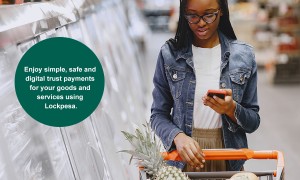
Lockpesa is a secure escrow platform that helps buyers and sellers conduct transactions safely by holding funds until both parties fulfill their obligations. When a buyer deposits money into a Lockpesa transaction, the funds are securely held by Lockpesa and released only after the transaction is successfully completed.
Steps to Deposit Money into Your Lockpesa Account
Log in to your Lockpesa account using your registered credentials.
Create or join a transaction by entering the details of the product or service being exchanged.
Confirm the transaction amount with the other party to ensure both parties agree on the terms.
Select a payment method, such as M-Pesa, and follow the payment instructions provided by Lockpesa.
Deposit the agreed amount into the Lockpesa Hold account. Once the payment is received, the funds are securely locked and cannot be accessed by the seller until the transaction requirements are met.
Complete the transaction. After the buyer receives and verifies the product or service, they approve the release of funds.
Funds are released to the seller by Lockpesa, completing the transaction. If a dispute arises, the funds remain securely held until the issue is resolved.
Using Lockpesa's escrow service helps protect both buyers and sellers by ensuring that funds are only released when the agreed-upon terms of the transaction have been satisfied.
-
- 06/09/2026
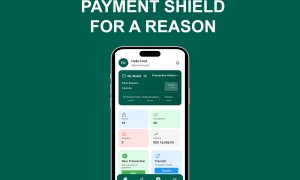
Your security is a top priority when using LockPesa. By following a few simple precautions, you can keep your account safe and ensure your transactions are completed securely.Keep Your Password and PIN PrivateYour LockPesa password and PIN are personal security credentials that protect your account and funds.To stay safe:Never share your password or PIN with anyone.Do not write your password or PIN where others can see it.Avoid using easy-to-guess passwords such as birthdays or phone numbers.Change your password immediately if you suspect it has been compromised.Remember: LockPesa staff will never ask for your password or PIN.Protect Your Release CodeThe Release Code is one of the most important security features in LockPesa transactions.Never share your Release Code with a seller before you have received and inspected the goods or services.Scammers may attempt to convince buyers to provide the Release Code before delivery. Once the code is used, the transaction is completed and the funds are released to the seller.Confirm Receipt Before Releasing FundsBefore sharing or entering a Release Code:Ensure you have received the goods or services.Verify that the item matches the description provided by the seller.Confirm that the quantity, quality, and condition are satisfactory.Resolve any concerns with the seller before releasing payment.Only proceed when you are completely satisfied with the transaction.Understand That Release Is FinalWhen a Release Code is entered successfully:The funds are transferred to the seller.The transaction is marked as completed.The payment process is final and cannot be reversed through the normal transaction flow.For this reason, you should never release funds until you have fully confirmed receipt of the goods or services.Beware of Fraud and Social EngineeringFraudsters may contact you through phone calls, text messages, emails, or social media and pretend to be sellers, buyers, or support agents.Stay safe by:Verifying the identity of anyone requesting account information.Ignoring requests for your password, PIN, or Release Code.Reporting suspicious activity to LockPesa support immediately.Use Secure Devices and NetworksFor added protection:Access LockPesa only from trusted devices.Keep your phone and computer updated with the latest security patches.Avoid logging in using public or unsecured Wi-Fi networks.Always log out when using shared devices.Final Security ReminderYour Password, PIN, and Release Code are the keys to your LockPesa account and transactions. Never share them with anyone. Most importantly, never provide a Release Code until you have received and verified your goods or services. Once funds are released to the seller, the transaction is considered final.
-
- 06/01/2026
Kenya has one of the most advanced digital payment ecosystems in Africa, with several convenient options available for consumers and businesses.M-Pesa (Mobile Money)M-Pesa remains the most widely used payment solution in Kenya. Operated by Safaricom, it has become an essential part of everyday life, enabling users to pay for goods and services, transfer money, purchase airtime, and settle utility bills directly from their mobile phones. Many businesses accept payments through M-Pesa using Till Numbers or Paybill Numbers, making transactions quick and convenient.Credit and Debit CardsVisa and Mastercard are commonly accepted in major retail stores, shopping malls, hotels, restaurants, and online platforms. Card payments are particularly popular among travelers, professionals, and customers making larger purchases.Cash (Kenyan Shillings)Although digital payments are widespread, cash continues to play an important role in Kenya's economy. It is frequently used in informal markets, public transportation services such as matatus, and in areas where digital payment infrastructure may be limited.Airtel MoneyAirtel Money serves as a key alternative mobile money platform. It offers services similar to M-Pesa, including money transfers, bill payments, and merchant transactions. While its user base is smaller, it remains a popular choice for many Airtel subscribers.Digital Wallets and International Transfer ServicesOnline payment solutions such as PayPal and Wise are commonly used for international transactions, freelance payments, and cross-border money transfers. These platforms often integrate with local mobile money services, allowing users to access their funds conveniently within Kenya.
-
- 06/01/2026
Many Kenyan banks provide convenient options for moving funds directly from a bank account to an M-Pesa wallet through mobile banking or internet banking services. Depending on your bank, you can use a USSD code, mobile app, or online banking platform to complete the transaction.RequirementsBefore initiating a transfer, ensure you have the following:Active AccountsA valid M-Pesa account registered under your phone numberAn active bank account with a participating bankYour M-Pesa PINAccess to your bank account credentialsMobile Banking SetupTo transfer money using USSD or mobile banking services, you must first enroll for your bank's mobile or internet banking platform. This may involve:Registering for mobile banking servicesActivating internet banking accessObtaining your bank's USSD codeKnowing the relevant Paybill or transfer options provided by your bankSteps for Sending Money from a Bank Account to M-PesaAlthough the process may vary slightly between banks, the general procedure is as follows:Dial your bank's USSD code or log in to the bank's mobile banking platform.Navigate to the money transfer section.Select the option to send funds to M-Pesa.Enter the recipient's mobile number.Key in the amount you wish to transfer.Review the transaction details carefully.Confirm the transaction using your banking PIN or password.Wait for confirmation messages from both the bank and M-Pesa.Once the transaction is successful, the funds will be credited to the specified M-Pesa account and can be used immediately for payments, transfers, or withdrawals.
-
- 06/01/2026
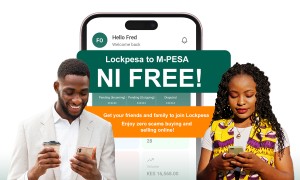
Sending money from your LockPesa account to M-PESA is completely free. LockPesa charges zero M-PESA transfer fees, allowing you to move your money quickly and conveniently without any extra costs.There are no hidden charges or unexpected deductions. The amount you send is the amount your recipient receives, making LockPesa a simple, transparent, and cost-effective way to transfer funds to M-PESA.With LockPesa, you can enjoy fast, secure, and fee-free transfers whenever you need to send money to M-PESA.
-
- 06/01/2026
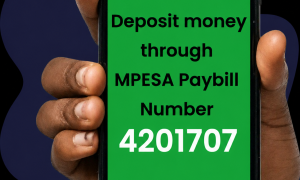
Depositing money into your Lockpesa account through M-Pesa Paybill is fast, convenient, and secure.To deposit funds, open the M-Pesa menu on your phone and select Lipa na M-Pesa. Next, choose Pay Bill and enter the official Lockpesa Paybill number 4201707. Enter your Lockpesa account number, then input the amount you wish to deposit.Carefully confirm all details before entering your M-Pesa PIN and completing the payment. Once the transaction is successful, you will receive a confirmation message from M-Pesa, and the funds will be reflected in your Lockpesa transaction account.
-
- 05/31/2026
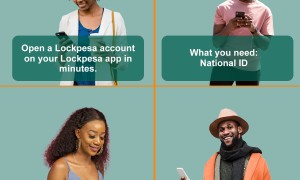
As online transactions continue to grow in Kenya, security has become a major concern for buyers, sellers, freelancers, and businesses. Lockpesa provides a digital escrow solution that helps protect funds during transactions by holding payments securely until both parties fulfill their agreement.Opening a Lockpesa account is a simple process that allows users to access secure escrow services through the platform.Step 1: Visit the Lockpesa PlatformStart by visiting the official Lockpesa website:Lockpesa Official WebsiteFrom the homepage, select the option to get started and begin the account registration process.Step 2: Register Your AccountTo create a Lockpesa account, users are required to provide personal information during registration, including:Full nameEmail addressMobile phone numberNational ID or passport detailsA selfie for identity verificationA secure passwordThis information helps verify user identity and improve platform security.Step 3: Complete Identity VerificationLockpesa uses identity verification procedures to help prevent fraud, money laundering, and unauthorized account activity.Users may be asked to submit additional information or documents to confirm their identity and verify ownership of their payment account. According to the platform’s terms, identity verification is required before accessing escrow services.Step 4: Secure Your AccountAfter registration, users should:Create a strong passwordKeep login credentials privateProtect transaction PINs and verification codesNever share OTPs or release codes with anyoneLockpesa states that it will never ask users to disclose passwords, PINs, or OTP codes through calls, SMS, email, or social media.Step 5: Start Your First Escrow TransactionOnce your account is verified, you can begin using Lockpesa's escrow services.The transaction process typically involves:Creating a transactionDepositing fundsLockpesa securely holding the fundsSeller delivery of goods or servicesBuyer confirmationRelease of payment to the sellerThis process helps protect both buyers and sellers from fraud and transaction disputes.Why Open a Lockpesa Account?Benefits of opening a Lockpesa account include:Secure escrow protectionSafer online buying and sellingFraud prevention measuresTransparent transaction trackingProtection for freelancers, businesses, and consumersAffordable escrow fees through the website and Android appAs digital commerce continues to expand across Kenya, Lockpesa provides a practical solution for individuals and businesses seeking greater security and trust in online transactions.
-
- 05/31/2026
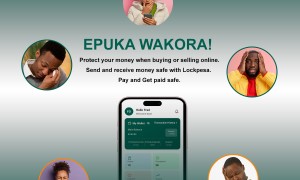
Financial fraud remains one of the biggest challenges facing Kenya’s rapidly growing digital economy. As mobile money, online banking, and e-commerce continue to expand, fraudsters are increasingly targeting individuals, businesses, and financial institutions through scams, identity theft, and payment fraud.In response to these challenges, innovative technologies such as digital escrow services are becoming important tools in strengthening transaction security. Lockpesa is one such platform that can support broader efforts to reduce fraud and improve trust in digital financial transactions.The Growing Cost of Financial Fraud in KenyaRecent reports show that financial fraud is becoming increasingly costly across the country. According to banking and fraud data reported in 2024:Kenya recorded 353 reported banking fraud cases in 2024, up from 173 cases in 2023.Mobile banking fraud accounted for 146 reported cases, making it the most common fraud category.Total financial fraud losses were reported at approximately KES 1.6 billion, with mobile banking fraud contributing the largest share of losses.Additional findings from the FinAccess Survey indicated that:70% of reported mobile money losses involved accidental money transfers.Nearly 20% of mobile money losses were linked to external fraud incidents.These statistics highlight the growing need for stronger transaction verification and fraud-prevention systems.How Lockpesa Helps Reduce Financial FraudUnlike direct payments that immediately transfer funds from one party to another, Lockpesa uses a digital escrow model that temporarily holds funds until agreed transaction conditions are met.This approach can help reduce:Online marketplace scamsNon-delivery fraudFake seller schemesAdvance payment fraudBusiness transaction disputesBy preventing immediate release of funds, escrow services create an additional verification layer that makes fraudulent activity more difficult.Supporting Government Efforts Against Digital CrimeGovernments and regulators often focus on improving transparency, accountability, and consumer protection within financial systems. Escrow technology can complement these objectives by creating auditable transaction records and structured payment processes.Lockpesa can contribute to these efforts by:Encouraging safer online commerceReducing disputes between buyers and sellersCreating transaction traceabilitySupporting digital trust in e-commerce ecosystemsProviding documented payment workflows that may assist investigations when disputes ariseThese features can strengthen confidence in Kenya’s digital economy while reducing opportunities for common forms of transaction fraud.Strengthening Security Through Verification FeaturesLockpesa’s security-focused approach can also be enhanced through tools such as:Identity verification processesTransaction trackingGeo-fencing verification for physical meetings and deliveriesEscrow-based payment releasesDigital transaction recordsThese mechanisms help establish accountability between parties and reduce uncertainty during high-value transactions.Supporting Safer Growth of E-CommerceKenya continues to be one of Africa’s leading digital payment markets, driven by mobile money adoption and online business growth. However, increasing fraud threatens consumer confidence and business expansion.By introducing additional layers of transaction security, Lockpesa helps create an environment where buyers and sellers can transact with greater confidence. This not only benefits businesses and consumers but also supports broader national goals of financial inclusion, digital transformation, and fraud reduction.Building Trust in Kenya’s Digital FutureAs financial fraud becomes more sophisticated, combating it requires collaboration between technology providers, businesses, regulators, and consumers. Platforms such as Lockpesa demonstrate how digital escrow technology can play a role in improving transaction security and reducing financial risk.By helping prevent payment fraud, increasing transparency, and supporting secure digital trade, Lockpesa can contribute to a safer and more trusted digital economy for Kenya.
-
- 05/31/2026

Small and Medium Enterprises (SMEs) are the engine of Kenya's economy, contributing significantly to employment, innovation, and economic growth. However, many SMEs face challenges such as payment fraud, delayed payments, untrusted suppliers, and customer disputes. Lockpesa is helping solve these challenges through secure digital escrow services designed for modern businesses.Building Trust Between Businesses and CustomersTrust is essential for business growth. Many SMEs lose potential customers because buyers are hesitant to make upfront payments, especially when purchasing products online.Lockpesa bridges this trust gap by holding funds securely until the buyer receives and approves the goods or services. This gives customers confidence to transact while ensuring sellers know that payment has been secured.As a result, SMEs can attract more customers and increase sales without exposing themselves to unnecessary risk.Reducing Fraud and Financial LossesFraud remains a major concern for many Kenyan businesses. SMEs often operate with limited financial resources, making even a single fraudulent transaction costly.By using Lockpesa's escrow system, businesses can protect themselves from:Fake buyersPayment disputesNon-payment after deliveryFraudulent online transactionsUnverified business partnersThis added security helps SMEs preserve revenue and focus on growth instead of managing transaction risks.Expanding Market Reach Across KenyaMany SMEs limit their operations to local customers because of concerns about trust and payment security. Lockpesa enables businesses to confidently serve customers in different counties and regions.Whether selling agricultural products, electronics, fashion items, machinery, or professional services, SMEs can transact with buyers they have never met while maintaining confidence that payments are protected.This opens new opportunities for growth and market expansion.Improving Cash Flow ConfidenceCash flow is critical for small businesses. Delayed or disputed payments can disrupt operations, inventory management, and supplier relationships.Lockpesa helps improve cash flow planning by ensuring that transaction funds are secured before delivery begins. Businesses gain greater visibility into upcoming payments and can make more informed operational decisions.Supporting Digital Commerce and InnovationAs more SMEs embrace e-commerce, social commerce, and digital services, secure payment systems become increasingly important.Lockpesa supports businesses operating through:Online storesSocial media marketplacesFreelance platformsBusiness-to-business transactionsService-based enterprisesBy providing a secure transaction framework, Lockpesa enables SMEs to innovate and compete in the digital economy with greater confidence.Affordable Protection for Growing BusinessesMany financial protection services can be expensive for small businesses. Lockpesa offers affordable escrow solutions through its website and Android app, making transaction security accessible to startups, entrepreneurs, and established SMEs alike.This affordability allows businesses to protect high-value transactions without significantly increasing operating costs.Empowering the Future of Kenyan SMEsAs Kenya's business environment becomes increasingly digital, SMEs need tools that support trust, security, and growth. Lockpesa is helping businesses overcome traditional transaction barriers by providing secure escrow services that protect both buyers and sellers.By reducing fraud, improving trust, supporting market expansion, and enhancing payment security, Lockpesa is empowering SMEs to grow sustainably and compete more effectively in Kenya's rapidly evolving digital economy.
-
- 05/31/2026
In an increasingly digital world, personal safety and transaction security are becoming more important than ever. Whether conducting business meetings, meeting buyers and sellers, traveling, or handling high-value transactions, individuals and businesses need tools that help them stay protected. This is where Lockpesa's innovative Panic Button feature is making a difference.The Panic Button is designed to provide users with a quick and effective way to alert trusted contacts or designated responders during emergencies. By combining digital security with personal safety features, Lockpesa is expanding beyond traditional escrow services to create a safer environment for its users.What Is the Lockpesa Panic Button?The Lockpesa Panic Button is an emergency response feature available through the Lockpesa platform. With a simple activation, users can instantly send alerts when they feel threatened, unsafe, or require urgent assistance.This feature is particularly valuable during:Buyer and seller meetupsBusiness transactions involving cash or valuable goodsTravel to unfamiliar locationsPersonal safety emergenciesDelivery and logistics operationsThe goal is to help users react quickly and notify trusted individuals when immediate attention is needed.Enhancing Security for Buyers and SellersMany online transactions eventually require physical meetings to inspect, collect, or deliver goods. Unfortunately, these situations can sometimes expose participants to safety risks.The Lockpesa Panic Button adds an extra layer of protection by giving users a fast way to signal distress if a meeting becomes unsafe. This additional security can increase confidence when conducting transactions with new customers, suppliers, or business partners.Supporting SMEs and EntrepreneursSmall businesses and entrepreneurs often operate independently and may travel frequently to meet clients or deliver products. The Panic Button helps these professionals feel more secure while conducting business activities.Benefits for SMEs include:Improved personal safety during business meetingsIncreased confidence when serving new customersBetter protection for field agents and delivery personnelEnhanced risk management for high-value transactionsBy prioritizing user safety, Lockpesa helps businesses focus on growth while reducing security concerns.Strengthening Kenya's Digital EconomyTrust is essential for the growth of digital commerce. While escrow services protect financial transactions, personal security remains equally important. By integrating safety-focused features such as the Panic Button, Lockpesa is helping create a more secure ecosystem for online and offline transactions.As digital trade continues to expand across Kenya, solutions that combine payment protection with personal safety will play an increasingly important role in building trust among consumers and businesses.The Future of Secure TransactionsLockpesa's vision goes beyond protecting money. The platform aims to protect people as well. By offering escrow services alongside innovative safety tools like the Panic Button, Lockpesa is helping redefine what security means in the digital age.For buyers, sellers, entrepreneurs, and everyday users, the Lockpesa Panic Button represents an additional layer of confidence, ensuring that safety remains a priority wherever business is conducted.
-
- 05/31/2026

Agribusiness is one of the most important sectors in Kenya’s economy, supporting millions of farmers, traders, transporters, and exporters. However, despite its size and importance, the sector continues to face major challenges related to trust, delayed payments, and transaction disputes—especially in off-farm sales and supply chains.Digital innovation is now changing this landscape. One of the platforms contributing to this transformation is Lockpesa, a digital escrow service helping make agribusiness transactions safer, faster, and more reliable.Solving Trust Issues in Agricultural TradeAgribusiness transactions often involve multiple parties: farmers, aggregators, buyers, distributors, and exporters. In many cases, farmers fear non-payment after delivering produce, while buyers worry about receiving low-quality or incomplete goods.Lockpesa addresses this challenge by acting as a neutral escrow intermediary. Funds are held securely until both parties meet agreed conditions. Once the buyer confirms receipt and quality of produce, payment is released to the seller. This reduces disputes and builds trust across the agricultural value chain.Supporting Farmers and Produce BuyersLockpesa is particularly useful in transactions involving:Fresh produce such as fruits, vegetables, and grainsLivestock and poultry tradeAgricultural input supply (seeds, fertilizers, equipment)Bulk commodity trading between regionsContract farming agreementsBy ensuring secure payment conditions, farmers are more willing to engage with new buyers, while buyers gain confidence when sourcing from unfamiliar regions.Improving Supply Chain ConfidenceAgribusiness depends heavily on logistics and timing. Delays or payment failures can disrupt entire supply chains. With escrow protection, all parties are incentivized to fulfill their obligations promptly and correctly.Lockpesa helps improve supply chain efficiency by:Reducing payment delays after deliveryEncouraging accountability among buyers and sellersMinimizing disputes over quality and quantityCreating transparent transaction recordsThis improves overall coordination within agricultural markets and reduces financial uncertainty.Enabling Digital Agriculture TradeAs more agribusiness activities move online through platforms, social media marketplaces, and direct farmer-to-buyer networks, the risk of fraud increases. Lockpesa provides a secure foundation for these digital interactions.Through its website and Android app, users can easily create escrow transactions, track payment status, and confirm delivery outcomes. This makes it easier for agribusiness stakeholders to trade remotely without losing trust in the process.Affordable Security for Rural and Urban FarmersOne of the biggest barriers to financial protection in agriculture is cost. Many small-scale farmers operate on thin margins and cannot afford expensive transaction safeguards.Lockpesa offers affordable escrow services designed to be accessible to both smallholder farmers and large agribusiness enterprises. This ensures that secure trading is not limited to large corporations but is available across the entire agricultural ecosystem.Driving Growth in Kenya’s Agricultural EconomyBy reducing risk and increasing trust, Lockpesa is helping unlock new opportunities in agribusiness. Farmers can reach wider markets, buyers can source more confidently, and traders can expand operations without fear of financial loss.As Kenya continues to modernize its agricultural sector, digital escrow solutions like Lockpesa are becoming essential tools for building a more transparent, efficient, and trustworthy food supply chain.
-
- 05/30/2026